Our verdict in 30 seconds: Bynder (9.3) is the strongest pure brand-portal tool — branded guideline pages plus fine-grained external permissions built for large, multi-brand organizations. Canto (9.1) and Brandfolder (8.9) both do self-serve external sharing well at a lower price. Filecamp (8.4) is the budget pick if you need branded external folders without enterprise pricing.
What is a brand portal?
A brand portal is a permissioned, branded storefront for your approved assets and brand guidelines — one web address where people outside your team can find the right logo, the current campaign photography and the rules for using them, without a login to your internal systems and without emailing you first. Where a DAM organizes assets for the people who make them, a brand portal’s core job is distribution: getting the correct, approved, on-brand files into the hands of the partners, resellers, franchisees and agencies who represent you. A good one shows each audience only what it is cleared to use, wears your own logo and colors rather than the vendor’s, and keeps guideline pages beside the downloads so nobody has to guess which blue is the right blue — the part of the job that guideline-first tools such as Frontify are built around. That combination — self-serve access, brand control and external distribution — is what separates a brand portal from a folder of shared links. Franchise and dealer networks are the sharpest version of that need; our DAM for franchises and multi-location brands overview covers it.
What makes a tool a "brand portal," not just a DAM
Any DAM can generate a shareable link. A real brand portal does three things a generic file-share can't: it wears your brand's look (logo, colors, a custom domain) rather than the vendor's; it lets external people — partners, press, franchisees — self-serve approved assets without emailing your team for every download; and it restricts exactly what each outside group can see and pull, down to the individual folder or asset. We tested that external-facing layer specifically, not just the internal cataloging most DAM reviews focus on.
My test here isn't "can it share a link" — every tool can. It's whether a portal invited as a read-only guest can browse a branded page, filter by campaign, and download an approved rendition without ever seeing folders they shouldn't, and without a single email to your team. Bynder and Canto both passed that cleanly in our test invites; a couple of cheaper tools we didn't shortlist here either exposed sibling folders in the URL or required manual approval per download, which defeats the point of self-serve.
Quick comparison
| Tool | Portal strength | External access control | Tier | Score |
|---|---|---|---|---|
| 1. Bynder | Branded guideline pages, multi-brand support | Granular, per-folder/per-group | $$$ | 9.3 |
| 2. Canto | Self-serve branded portals, easy setup | Per-collection sharing | $$ | 9.1 |
| 3. Brandfolder | Strong analytics on external downloads | Per-collection sharing | $$ | 8.9 |
| 4. Filecamp | Branded external folders, budget-friendly | Per-folder, simpler permission model | $ | 8.4 |
Price tiers: $ budget · $$ mid-range · $$$ enterprise, quote-based. Scores are each tool's overall PhotoLib score (see full reviews); this ranking orders them by brand-portal capability specifically. Checked July 2026.
1. Bynder — best for multi-brand enterprises
Bynder
★★★★★ 4.7Best for: organizations running more than one brand that need separate, permissioned portals for each.
Pros
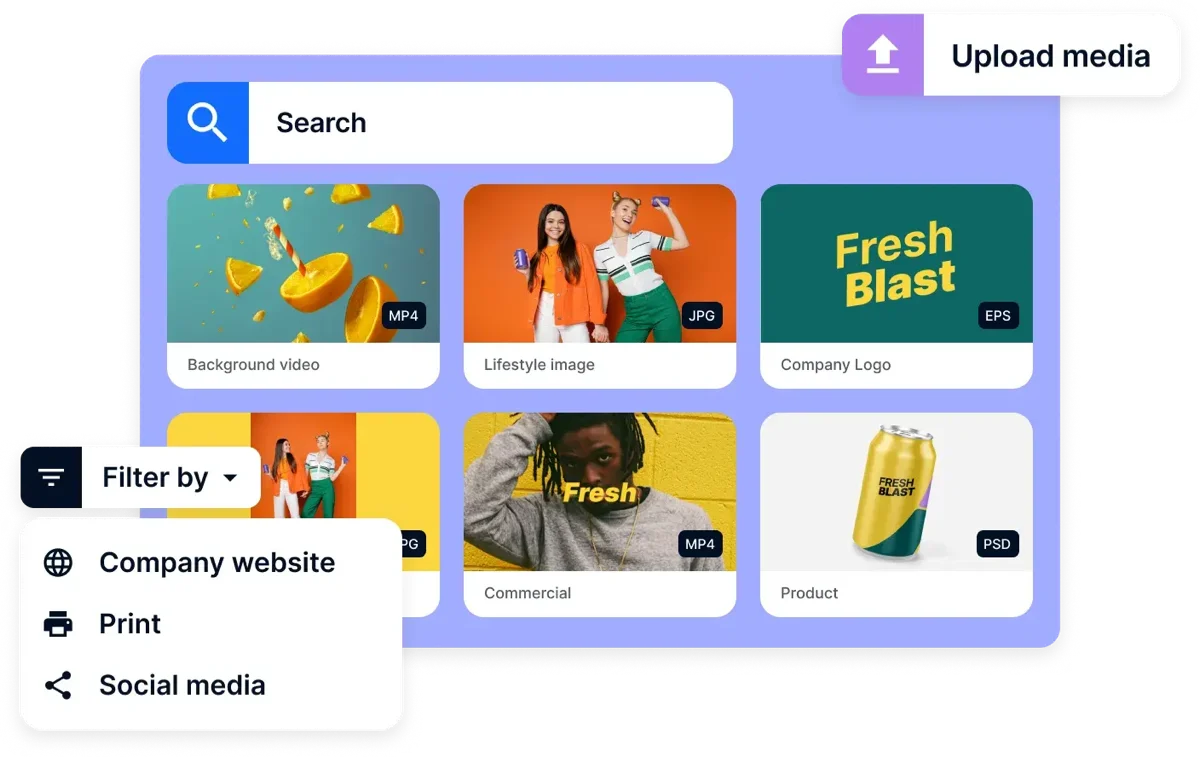
- Fully brandable portal — custom domain, logo, colors, no Bynder branding visible
- Separate portals per brand/region, each with its own permission set
- Guideline pages (logo usage, color codes) sit alongside the downloadable assets
Cons
- Enterprise pricing, quote-based, steepest of the four here
- Overkill for a single-brand small business
Our verdict: If you manage multiple brands or a franchise network, Bynder is the only tool here built for that structurally, not as an add-on. Full test in our Bynder review.
2. Canto — easiest self-serve setup
Canto
★★★★★ 4.6Best for: teams that want an external portal live within a day, no implementation project required.
Pros
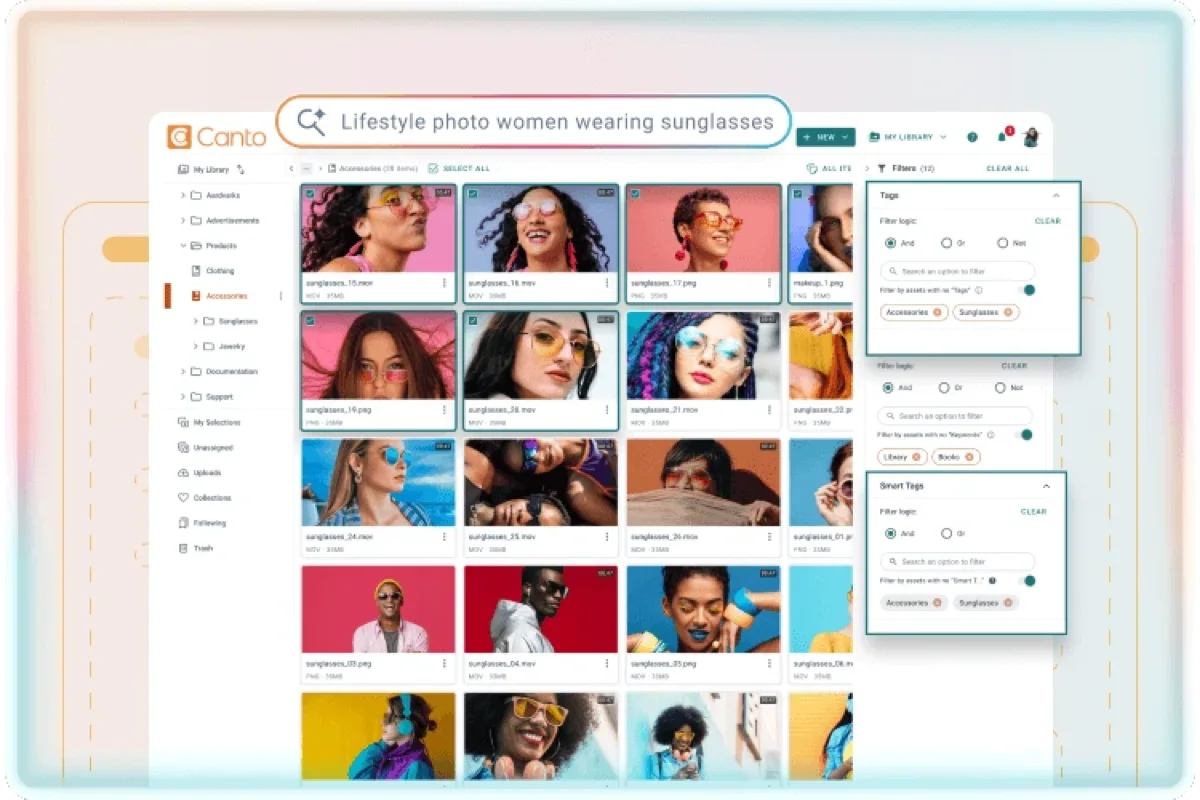
- Shareable collections set up in minutes, no separate portal project
- Guest links can be view-only or download-enabled, expiring on a set date
- Natural-language search works for external guests too, not just staff
Cons
- Less structural separation between brands than Bynder if you run more than one
- Mid-range pricing climbs with added seats
Our verdict: Canto gets an external-sharing portal live the fastest of the four, with no setup project. Full test in our Canto review.
3–4: analytics-first and budget picks
3. Brandfolder — 8.9. The standout here is visibility: Brandfolder's analytics dashboard shows exactly which external guests downloaded which assets, and how often, which is genuinely useful for tracking whether a reseller or franchisee is actually using the brand kit you gave them. Sharing and permissions work similarly to Canto's collection model. See it in our Brandfolder review.
4. Filecamp — 8.4. The budget option: branded external folders and simple, folder-level permissions at a fraction of Bynder's or Canto's price. It won't give you Bynder's multi-brand structure or Brandfolder's download analytics, but for a single-brand small business that just needs partners to grab approved logos and photos without emailing anyone, it's the cheapest tool here that still looks professional to an outside guest. See it in our small business DAM ranking.
Cost and how to choose
Start with how many distinct brands or external audiences you're serving. One brand, one audience (press, or partners, or franchisees, but not several at once) — Canto or Filecamp will feel like the right amount of tool. Multiple brands, or multiple external audiences each needing different permissions and a different look — Bynder is worth its higher price because the structural separation is built in, not bolted on. If tracking external engagement (who downloaded what, how often) matters as much as the sharing itself, weight Brandfolder's analytics into the decision. None of the four charge extra just to invite external guests, but seat-based tiers on Canto and Bynder can still climb if your external user count is large; ask specifically how guest/viewer seats are counted before signing.
Buyer’s test: before buying, ask the vendor to set up a real guest invite for a folder you choose, then check from the guest's own view whether sibling folders are visible in the URL or navigation. This is the single most common brand-portal failure we've seen in cheaper tools not shortlisted here.
FAQ
What's the difference between a DAM and a brand portal?
A DAM is primarily for your internal team to organize and find assets. A brand portal is the external-facing layer built on top: a branded page where partners, press or franchisees can browse and download only what you've approved for them, without needing an internal account. Bynder, Canto, Brandfolder and Filecamp all run as a DAM internally and can also serve as the external portal — the difference between them is how polished and permission-controlled that external layer is.
Which brand portal software is best for multiple brands?
Bynder, because it supports genuinely separate branded portals per brand or region, each with its own permission set and guideline pages, rather than one shared portal with folders split by brand. That structural separation is what most multi-brand organizations actually need.
Can external guests download assets without creating an account?
Yes, in all four tools tested here — guest access is link-based, not account-based. The link can be scoped to view-only or download-enabled, and set to expire, without requiring the outside person to sign up for anything.
What is a brand portal?
A brand portal is a branded, permissioned page where people outside your team — partners, resellers, franchisees and agencies — self-serve your approved logos, photography and brand guidelines without an internal login. Its job is controlled distribution: getting the right on-brand assets to the right external audience, with nothing they shouldn't see.
What's the best brand portal software in 2026?
In our July 2026 testing, Bynder (9.3) is the strongest brand portal software overall — branded guideline pages and granular external permissions built for multi-brand organizations. Canto (9.1) and Brandfolder (8.9) both handle self-serve external sharing well at a lower price, and Filecamp (8.4) is the budget pick for branded external folders.
How do brand portals distribute assets to partners or agencies?
Through scoped, self-serve access rather than email. You invite a partner, reseller or agency to a branded portal or collection; they browse only the assets you've cleared for them and download approved renditions themselves. Links can be view-only or download-enabled and set to expire, so external distribution stays controlled without a download request landing in your inbox each time.
Sources & references
- Bynder — Brand Portal — vendor site, accessed July 2026.
- Canto — product & sharing features — vendor site, accessed July 2026.
- Brandfolder — vendor site, accessed July 2026.
- Filecamp — vendor site, accessed July 2026.
- PhotoLib test lab — June/July 2026, guest-invite and external permission tests across four tools. See how we test.