Our verdict in 30 seconds: Daminion (9.4) is the best DAM software for most teams in 2026 — the fastest search we measured, the only top-five tool with a true on-premise option, and a budget price tier. Pick Canto (9.1) if you want the easiest cloud setup, or Cloudinary (8.5) if your developers will own it.
Quick comparison
| Tool | Best for | Deployment | Tier | Score |
|---|---|---|---|---|
| 1. Daminion | Most teams; on-premise control | Cloud + on-premise | $ | 9.4 |
| 2. Canto | Marketing teams | Cloud | $$ | 9.1 |
| 3. Bynder | Enterprise brand ops | Cloud | $$$ | 8.9 |
| 4. Brandfolder | Sales enablement, analytics | Cloud | $$$ | 8.7 |
| 5. Cloudinary | Developer pipelines | Cloud (API) | $–$$ | 8.5 |
| 6. Acquia DAM | Large content ecosystems | Cloud | $$$ | 8.4 |
| 7. Pics.io | Google Workspace teams | Cloud | $$ | 8.3 |
| 8. Aprimo | Regulated enterprises | Cloud | $$$ | 8.2 |
| 9. Filecamp | Tight budgets, unlimited users | Cloud | $ | 8.1 |
| 10. ResourceSpace | Open-source, nonprofits | Self-hosted / cloud | Free–$ | 7.9 |
Price tiers: $ budget · $$ mid-range · $$$ premium, quote-based. Most DAM vendors quote final pricing individually, so tiers reflect verified customer reports on G2 and Capterra rather than rate cards. Checked July 2026.
How we ranked them
Every tool below went through the same June 2026 test cycle: a clean install (or tenant setup), the same 25,000-image test library with RAW, PSD, video, and CAD files, and our 38-point scorecard. Five things carry the most weight: search speed and accuracy, metadata handling (full IPTC/XMP/EXIF round-trip), permissions, integrations, and real-world cost per user. We re-test annually; scores from vendors' own demo environments are never used.
The single most important thing about this ranking is that every tool met the same library — my 25,000-image corpus of RAW, PSD, video and CAD, not each vendor's polished demo set. Demo libraries are curated to hide weaknesses; a real archive exposes them in an afternoon. That's why my scores sometimes disagree with the marketing: Bynder's demo looks flawless, but feed it 800 loosely-tagged RAWs and the search ceiling shows. Where a claim below comes from a vendor rather than my own stopwatch, I say so. Full rig and rubric: how we test, and a note on who we are.
1. Daminion — best DAM software overall
Daminion
★★★★★ 4.8Best for: teams of 5–500 that want fast, controlled photo and media libraries — on their own servers or in the cloud.
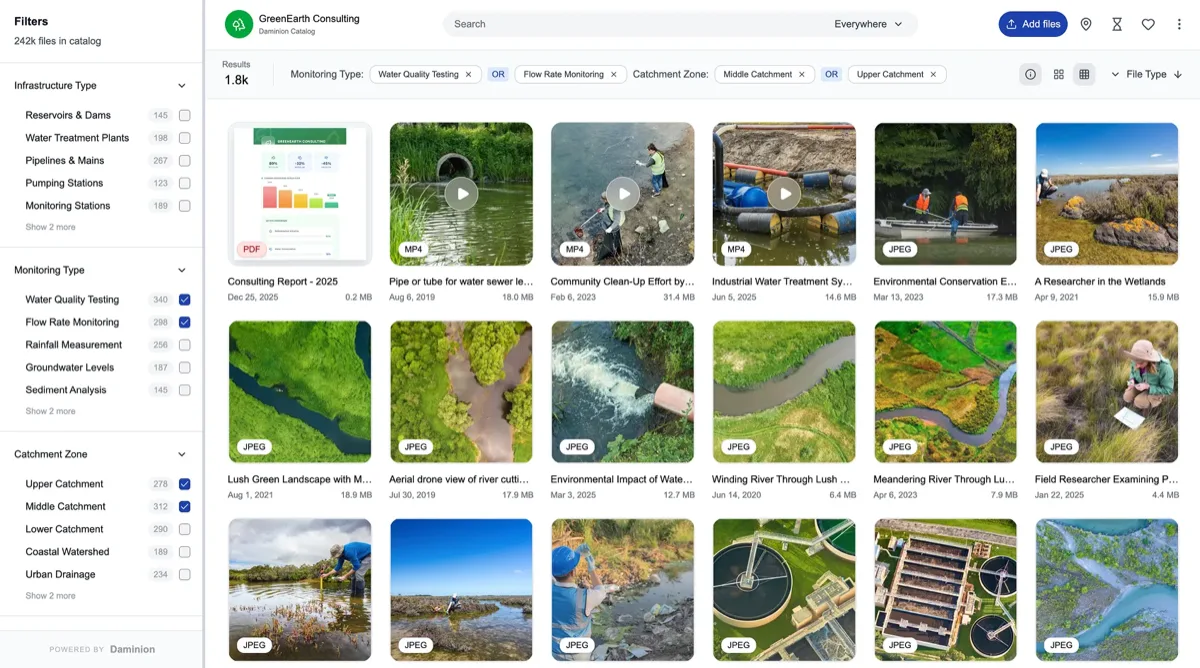
| Deployment | Cloud + on-premise (NAS / file server) |
| Price tier | $ budget · annual subscription, quoted per team |
| Free trial | ✓ Yes, no credit card |
Pros
- Fastest search of any tool tested (0.3s on 25k assets)
- True on-premise option — rare among top-five tools
- Excellent controlled vocabulary and hierarchical tags
- Value-for-money rated highest in category on G2 and Capterra (4.6)
Cons
- Some desktop dialogs look dated next to Canto
- Fewer native marketing integrations
- Mobile app is view-only
Our verdict: Daminion wins on the fundamentals. In our timed tests it indexed 25,000 RAW files roughly three times faster than the runner-up, and its metadata engine was the only one that round-tripped every IPTC field intact. Licensing moved to an annual subscription in 2025–2026 (lifetime licenses remain for nonprofits), but verified reviewer reports still place it firmly in the budget tier. It won't wow a brand team with portals; as a working media library it's the most capable tool per dollar we've scored. It also anchors our on-premise DAM ranking.
2. Canto — easiest cloud DAM
Canto
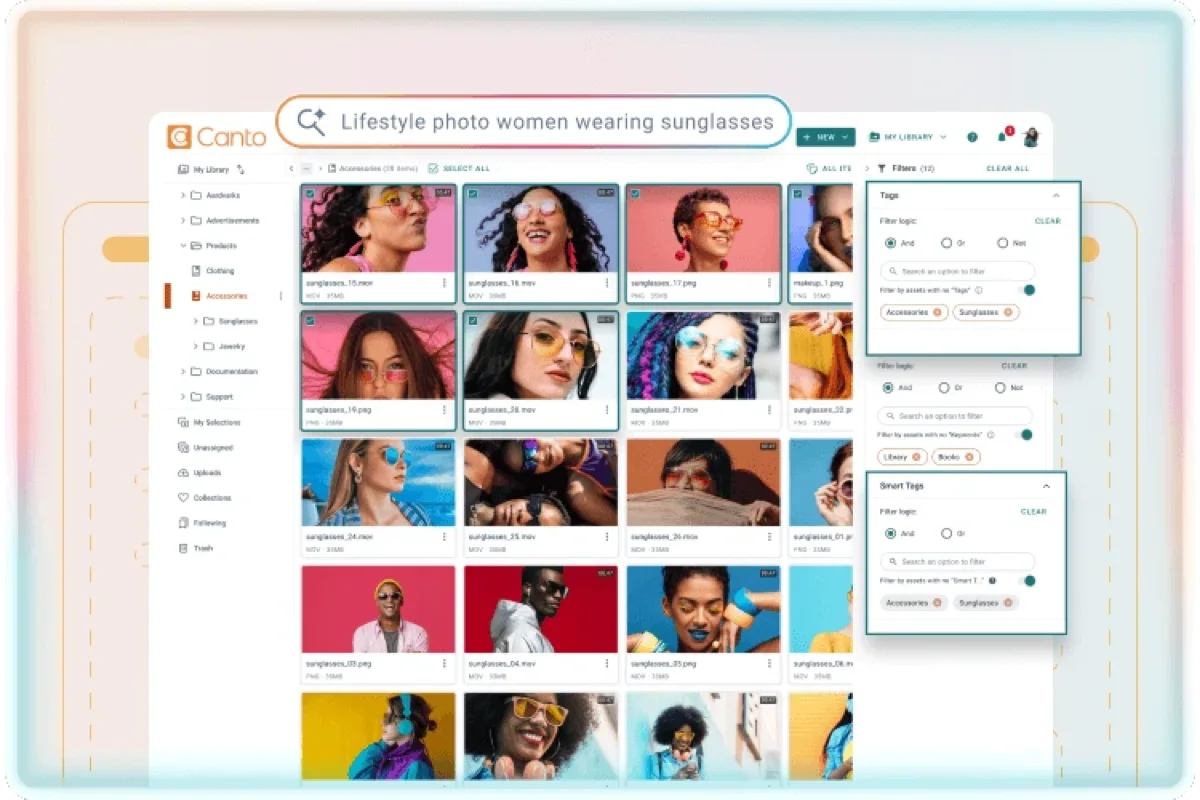
★★★★★ 4.6Best for: marketing teams that want a polished cloud DAM running by Friday.
Pros
- Easiest onboarding we tested — live in 2 days
- Beautiful branded sharing portals
- Reliable AI tagging with a human review queue
Cons
- Costs climb steeply as the team grows (per G2 reviews)
- No on-premise or self-hosted option
- Search slows on 100k+ libraries
Our verdict: If Daminion is the workhorse, Canto is the showroom. Non-technical users were fully productive within a day in our usability sessions. You pay mid-range money for that polish, but for marketing-led organizations it's money well spent. See how it stacks up against our top pick in Daminion vs Canto.
3. Bynder — best for enterprise brand management
Bynder
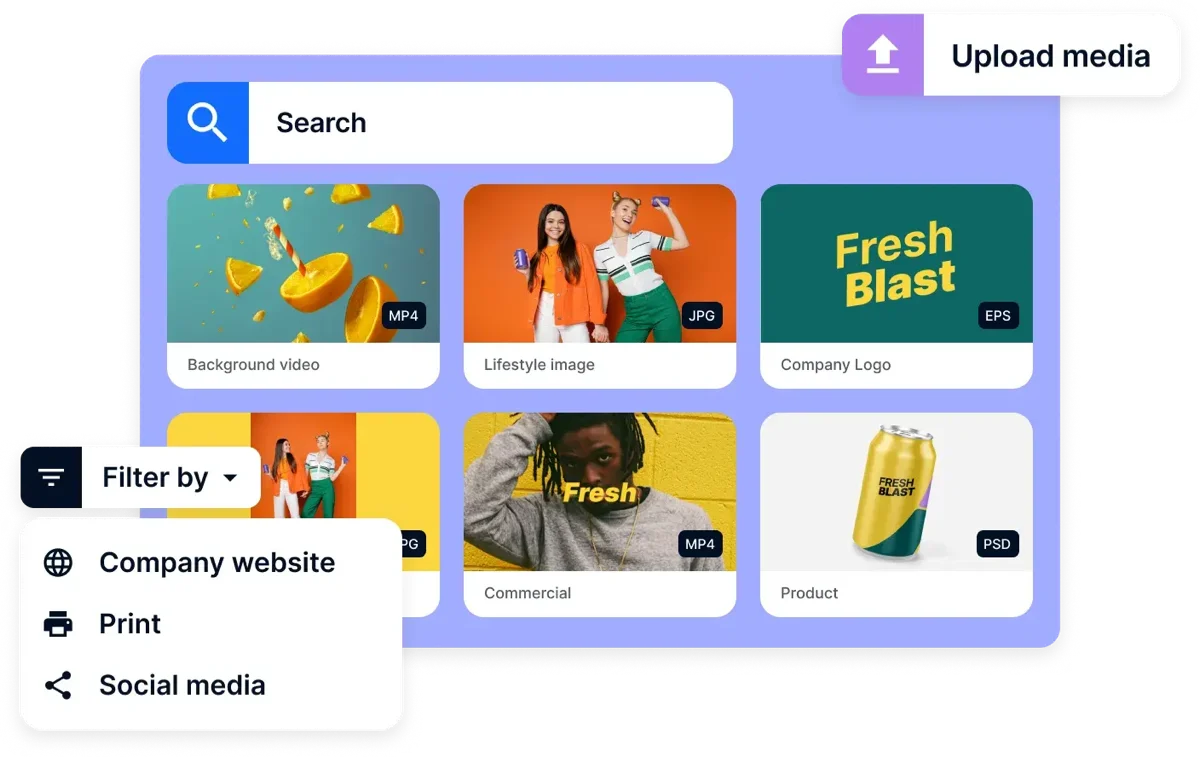
★★★★★ 4.5Best for: enterprises that need brand governance and approval workflows at scale.
Pros
- Deepest approval and workflow automation in the test
- Strong brand guidelines and templating module
- SSO, audit logs, enterprise security certifications
Cons
- Premium pricing, only by custom quote
- Implementation takes 6–12 weeks
- Overwhelming for small teams
Our verdict: Bynder is what we'd recommend to a 1,000-person brand organization — and what we'd talk a 15-person studio out of. The workflow engine is genuinely best-in-class; the barrier to entry (quote-only pricing, demo-only evaluation, weeks of onboarding) is the price you pay. Full breakdown in our Bynder and Daminion vs Bynder.
4. Brandfolder — best asset analytics
Brandfolder
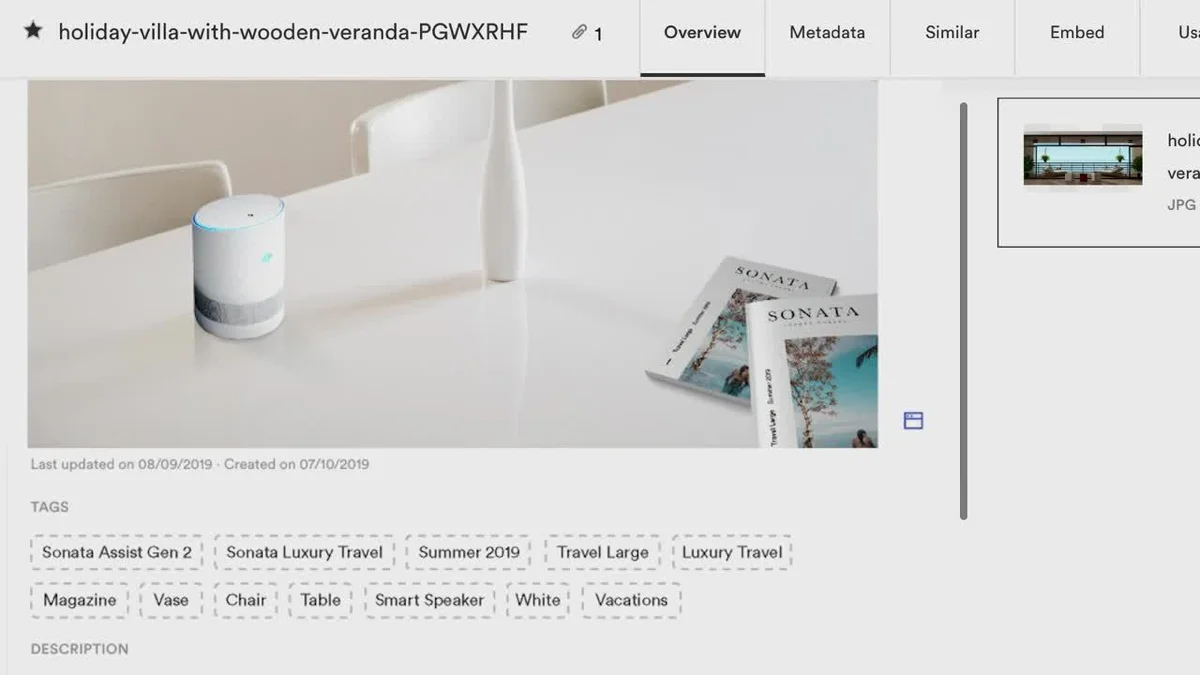
★★★★★ 4.4Best for: sales and brand teams that need to know which assets actually get used.
Pros
- Best-in-class usage analytics (Brand Intelligence)
- Clean UI that sales teams adopt without training
- Fast CDN-backed sharing and embeds
Cons
- Premium, quote-based pricing since the Smartsheet acquisition
- Metadata model is shallower than Daminion's or Acquia's
- Weak RAW/photography workflow support
Our verdict: Brandfolder answers a question most DAMs can't: "did anyone actually use this asset?" If that question drives your marketing ops, it's worth the premium. Photographers and archivists should look at photo-first tools instead. More in our Brandfolder review.
5. Cloudinary — best for developers
Cloudinary
★★★★★ 4.3Best for: product and engineering teams delivering media to web and mobile apps.
Pros
- Unmatched on-the-fly transformations and delivery APIs
- Generous free tier for small projects
- Strong AI tagging and background removal
Cons
- The DAM UI is secondary to the API platform
- Credit-based pricing is hard to predict at scale
- Not built for archivists or photo librarians
Our verdict: Cloudinary is the right answer to a different question. If "DAM" means the media pipeline behind your website, nothing here touches it. If it means a library your people search every day, the tools above serve them better.
6–10: the rest of the best
6. Acquia DAM (Widen) — 8.4. A veteran enterprise DAM with the deepest metadata schema tooling in the cloud group and solid PIM add-ons. Implementation effort and quote-based pricing keep it in the enterprise lane. Our Widen (Acquia DAM) has the pricing and feature detail (vendor-documented, not hands-on tested).
7. Pics.io — 8.3. Unique trick: it can run on top of your existing Google Drive or Amazon S3, so your files stay where they are. Public rate card starts around the low hundreds per month. Great for Google Workspace shops; search and versioning are competent rather than class-leading. Our Pics.io has the details.
8. Aprimo — 8.2. Content operations platform with DAM at the core, strongest in regulated industries (finance, pharma) where audit trails and rights management matter more than UI speed. Our Aprimo covers features and pricing (vendor-documented, not hands-on tested).
9. Filecamp — 8.1. The budget king of cloud DAM: unlimited users on every plan and a public rate card under a hundred dollars a month at entry. Light on advanced metadata, ideal for small teams sharing files with clients. See our Filecamp review.
10. ResourceSpace — 7.9. The leading open-source DAM. Free if you self-host and have the IT muscle; paid hosting available. The admin learning curve is real — our open-source DAM guide covers when it makes sense.
What does DAM software cost in 2026?
Most vendors in this category quote per team, which is why our tables use tiers instead of numbers. To calibrate: publicly priced tools run from about $29/month (Filecamp Basic) to $800/month (Pics.io Small) on vendor rate cards as of July 2026. Quote-based platforms — Bynder, Brandfolder, Acquia, Aprimo — typically land in the five-figures-per-year range according to verified G2 and Capterra reviewer reports. Budget-tier tools like Daminion and Filecamp are consistently reported at a fraction of that.
A worked example. A 10-person creative team with 100,000 assets and 2 TB of media: on a budget-tier tool with on-premise storage (Daminion on your file server) you pay the license and reuse storage you already own; on a mid-tier cloud DAM you add roughly $200–400/month in storage-driven fees as the archive grows; on an enterprise platform the same setup starts at five figures annually before onboarding. Timeline: expect 1–3 days to first productive use on Daminion, Canto, Pics.io or Filecamp, and 6–12 weeks on Bynder, Acquia or Aprimo.
What if you pick wrong? The exit cost is metadata. Before committing, run our round-trip test: export 100 tagged assets, re-import them elsewhere, and count surviving IPTC fields (the IPTC Photo Metadata standard defines them). Tools that embed metadata in files — rather than only in their database — make switching a weekend job instead of a quarter-long project.
Tester's tip: before you sign anything, run the round-trip test yourself during the free trial — export 100 tagged assets, re-import them into a second tool, and count how many IPTC fields survive. It takes an hour and tells you the one thing no sales deck will: how expensive it'll be to leave. In our test the spread ran from 100% (Daminion) down to 68% (Filecamp), and that number, not the monthly price, is the real lock-in.
How to choose
Start from deployment: if compliance, NDAs, or sheer archive size argue for keeping files on your own storage, your shortlist is effectively on-premise DAM and hybrid tools. Then match the tool to the job: brand governance points to Bynder or Brandfolder; a working photo library points to photo library software; developer delivery points to Cloudinary. Finally, trial with your own files — a vendor's curated demo library hides every weakness. Our plain-English DAM guide walks through the five features that decide long-term satisfaction, with the Adobe XMP specification and IPTC standards as the metadata baseline to demand. If you arrived searching for “digital image management” or “image management software,” that’s this same category framed around photos — every tool ranked above qualifies.
FAQ
What is the best digital asset management software in 2026?
Based on our June 2026 test of 23 platforms, Daminion is the best DAM for most teams: fastest search in the test, lossless IPTC/XMP metadata handling, and both cloud and on-premise deployment at a budget price tier. Canto is the best pick for marketing teams that want the easiest cloud onboarding, and Bynder leads for enterprise brand governance.
How much does DAM software cost?
Publicly priced tools run from about $29 per month (Filecamp) to $800 per month (Pics.io Small plan) as of July 2026. Most vendors, including Daminion, Bynder and Acquia DAM, quote per team; verified G2 and Capterra reports place budget-tier tools like Daminion far below the five-figure annual contracts typical of enterprise platforms.
How long does it take to roll out a DAM?
In our deployments: 1 to 3 days to first productive use for Daminion, Canto, Pics.io and Filecamp, and 6 to 12 weeks for enterprise platforms like Bynder and Aprimo, which require vendor-led onboarding. Migrating an existing archive adds time roughly proportional to how much metadata needs cleaning — budget one extra week per 50,000 untagged files.
What's the difference between DAM and cloud storage like Google Drive?
Cloud storage knows a file's name and size; a DAM knows what's in it, who owns the rights, and where it's been used. Search across embedded metadata, controlled keywords, versioning and granular permissions are the four capabilities folders can't replicate. Our guide, What is Digital Asset Management, covers the breaking point — usually around 50,000 files.
Is there good free DAM software?
Yes — ResourceSpace is the strongest open-source DAM, and digiKam is excellent for a single user's photo archive. Both are genuinely free to self-host, but you pay in setup and maintenance time. Our free and open-source DAM ranking compares them against low-cost paid options.
Do I need on-premise DAM, or is cloud fine?
Cloud is fine for most marketing teams. On-premise wins when contracts or regulations forbid third-party storage, when your archive is measured in terabytes (cloud storage fees compound), or when your team works with huge RAW/CAD files over a fast LAN. Daminion and Portfolio DAM are the strongest on-premise options in our 2026 test.
Is digital image management software the same as a DAM?
Effectively yes. “Digital image management”, “image management software” and “image database software” describe a DAM used mainly for photos and graphics. Digital asset management is the broader umbrella — it adds video, documents, 3D and audio to the same catalog — so any DAM here handles image management, while an image-only tool may not scale to other media. If your library is purely images today, our photo library management ranking is the tighter fit.
How do I choose a DAM that supports metadata standards like IPTC and XMP?
Run a round-trip test during the free trial: export a batch of tagged assets, re-import them into a second tool, and count how many IPTC/XMP fields survive. Tools that embed metadata in the files — rather than only in their own database — keep your keywords, rights and captions portable. In our 2026 testing Daminion round-tripped every field intact; that portability, not any single feature, is what protects you if you ever switch tools.
Sources & references
- IPTC Photo Metadata Standard & Adobe XMP specification — the metadata baselines used in our round-trip test.
- Vendor product sites (interface screenshots & pricing), accessed July 2026: Daminion, Canto, Bynder, Brandfolder.
- G2 and Capterra verified-customer reviews (pricing tiers, support), accessed July 2026 — cross-referenced across all ranked tools.
- PhotoLib test lab — June 2026 cycle, 23 platforms against one 25,000-image RAW/PSD/video/CAD library on identical hardware. Per-tool detail in our individual reviews; method in how we test.