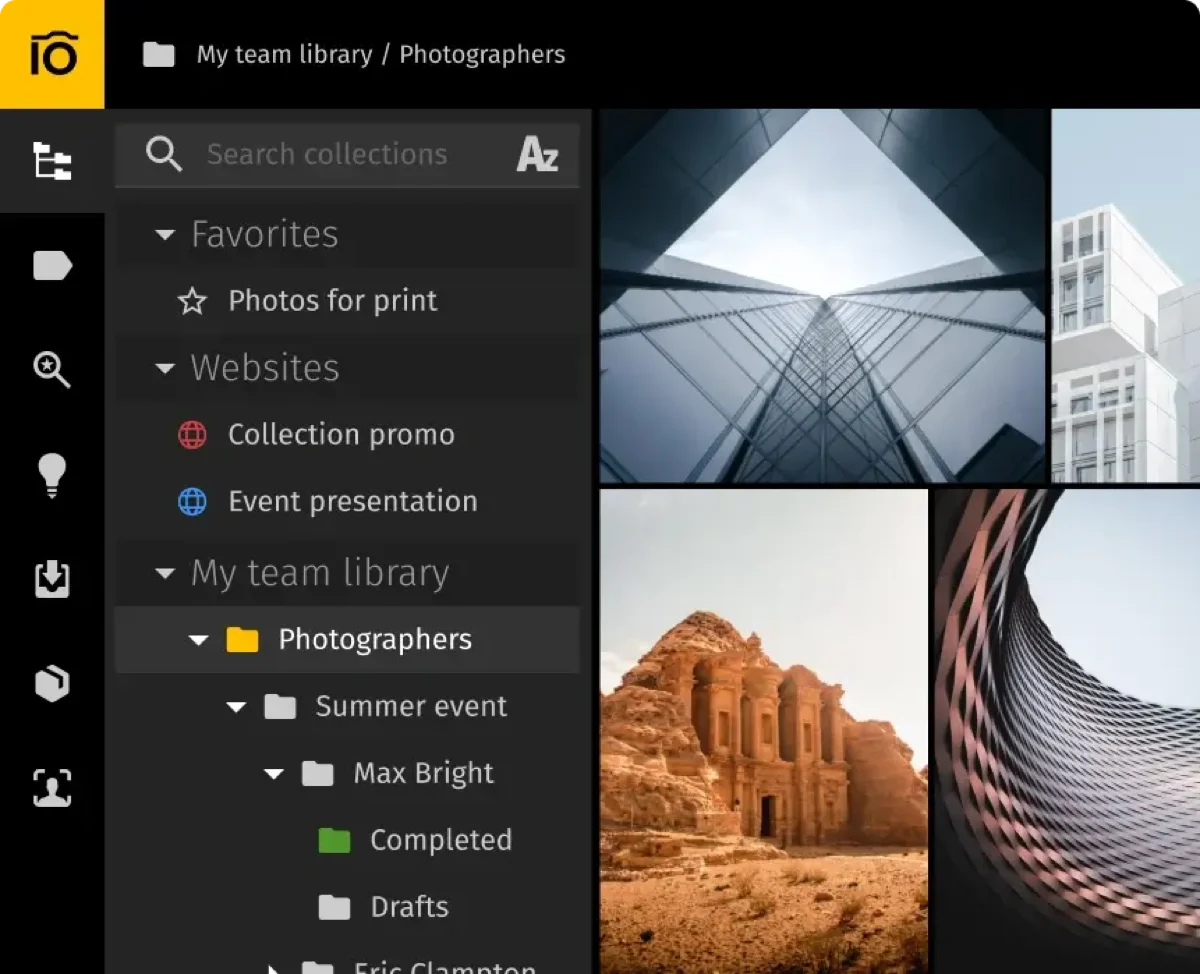
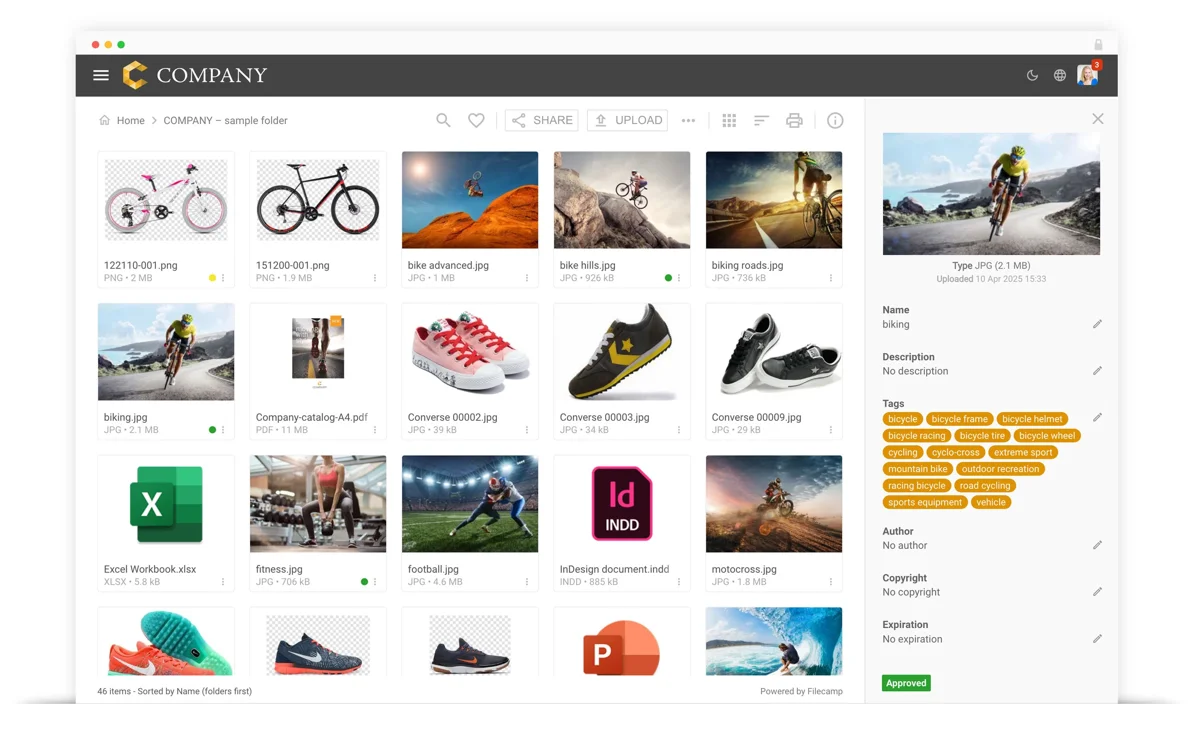
Our verdict in 30 seconds: Pics.io (8.3) has the cleanest documented in-context annotation tools of the six we cover — comments pinned to a specific point on the asset, plus approval flags and version history in the same view. Filecamp (8.1) pairs online proofing with comments (Professional tier) at a lower price point. The other four tools we've reviewed don't have dedicated point-and-click markup documented in our testing — they rely on approval-status labels or external share links instead, covered honestly below.
Proofing vs. approval: two different problems
An approval workflow answers "is this asset allowed to go live?" — a pending/approved/rejected gate. Proofing answers a different question entirely: "what exactly needs to change before we get there?" That half has its own software category — online proofing — and the two are usually sold together under a single label: review and approval. Real proofing means a reviewer can click a specific point on an image or a specific timecode on a video and leave a comment attached to that exact spot, not just a general note in a comment thread. That distinction matters because a tool can have a rock-solid approval gate and still force creative feedback into email or a separate markup tool.
My bar for "real" annotation: can a reviewer pin a comment to an exact x/y point on the image (or a timecode on a clip), and does that comment stay attached to that spot when the asset is later replaced with a new version? A general comment thread bolted onto an asset page is useful, but it's not the same thing — it forces the designer to guess which part of the image the note refers to. Pics.io and Filecamp are the two tools in our current test set with point-anchored commenting documented; the rest either don't have it or we haven't verified it directly, so they're not ranked here.
Quick comparison
| Tool | Annotation type | Tied to version history? | Tier | Score |
|---|---|---|---|---|
| 1. Pics.io | Point-anchored comments + approval flags | Yes | $$ | 8.3 |
| 2. Filecamp | Online proofing with comments (Professional+) | No — simple file replacement only | $ | 8.1 |
Price tiers: $ budget · $$ mid-range · $$$ enterprise, quote-based. Scores reflect each tool's overall PhotoLib score, not a proofing-specific sub-score. Checked July 2026.
1. Pics.io — point-anchored comments, tied to version history
Pics.io
★★★★★ 4.2Best for: teams that want in-context annotation, approval flags and version history in one place, on top of Google Drive storage.
Pros
- Comments with annotations pinned to a specific point on the asset
- Approval flags and version history live in the same collaboration panel
- Shareable branded galleries (Websites) double as a lightweight external review link
Cons
- Video proofing is light — preview and comment only, no proxy/codec intelligence
- Inherits Google Drive's API rate limits on heavy bulk-upload days
Our verdict: If in-context markup that survives into version history matters more than anything else, Pics.io's annotation tools are the most complete we've documented. Full test in our Pics.io review.
2. Filecamp — comment-based proofing at budget-tier pricing
Filecamp
★★★★★ 4.1Best for: agencies and small teams that want simple comment-based proofing without Pics.io's Drive dependency.
Pros
- Online proofing with comments included from the Professional tier up
- Friction-free for non-technical reviewers — our test users needed no training
- White-labeling lets agencies present the proofing tool as their own to clients
Cons
- No version stacks — a new version simply replaces the old file, so old comments don't carry forward the way Pics.io's do
- Proofing is gated behind the Professional tier, not available on entry plans
Our verdict: Filecamp proves comment-based proofing doesn't need Pics.io's Drive-dependent model — it's a simpler, folder-based take, gated to a higher tier but genuinely there. Full test in our Filecamp review.
What about the other four tools we've reviewed?
Bynder, Daminion, Canto and Brandfolder are all strong DAMs on other axes — see our approval workflows ranking and usage analytics ranking for where each of them leads — but none of them have point-anchored, in-context annotation documented in our testing. Canto and Brandfolder lean on expiring share links and approval-status fields for external review instead of on-image markup; Bynder and Daminion route creative feedback through their approval and version-control layers rather than a dedicated commenting/markup tool. That's not a knock on those four tools generally — proofing simply isn't the axis they compete on, and we'd rather say so plainly than force a ranking we haven't verified.
Cost and how to choose
Before trialing either tool, test the annotation with a real asset: drop in an image, pin a comment to a specific detail, then check whether that comment is still anchored to the right spot after you upload a revised version. That's the difference between a genuine proofing tool and a comment thread that just happens to sit next to an image. If your library already lives in Google Drive, Pics.io's model keeps annotation, approval and version history together in one place. If you want simple, budget-tier proofing for external client review without a Drive dependency, Filecamp's Professional tier covers the basics.
Buyer’s test: during your trial, pin an annotation comment to one specific detail on a test image, then upload a revised version of that same asset. Check whether the comment survives, moves to the new version correctly, or simply disappears — that tells you whether proofing here is a real workflow or just a one-off note.
FAQ
What's the best DAM software for creative proofing and annotated feedback?
Pics.io has the cleanest documented in-context annotation tools we tested — comments pinned directly to a point on the asset, alongside approval flags and version history. Filecamp's online proofing (Professional tier and up) is the strongest budget-tier alternative for comment-based review.
Is proofing the same thing as an approval workflow?
No. An approval workflow gates whether an asset can be published or used — a pending/approved/rejected state. Proofing is the creative feedback loop that happens before that decision: a reviewer marking up specific points on an image with comments so a designer knows exactly what to change. A tool can have one without the other.
What is online proofing?
Online proofing is the review loop that happens on the artwork itself instead of in an email thread. The file — an image, a video, a PDF — goes up to a shared tool; reviewers comment and annotate directly on it, each note pinned to the exact spot it refers to; versions get compared against each other so everyone can see what changed; and the approval is recorded against the asset at the end. It's an established software category in its own right, and it's also what most DAM buyers mean when they ask for proofing and feedback.
Do I need a separate online proofing tool, or is DAM proofing enough?
It depends on how much of your week goes into review. Dedicated online proofing tools go deeper on the things that loop is built for — side-by-side version compare, richer markup, chasing the reviewer who hasn't replied — because that loop is the whole product. A DAM's proofing is usually shallower, but it has one advantage a standalone tool can't match: the comments, the versions and the sign-off stay attached to the asset of record, in the same place the approved file lives afterwards. If creative review is your bottleneck, buy the specialist and pipe approved files back into the DAM. If your bottleneck is finding the approved file six months later, DAM proofing is enough.
Sources & references
- Pics.io — vendor site, accessed July 2026.
- Filecamp — vendor site, accessed July 2026.
- PhotoLib test lab — June/July 2026, hands-on annotation and version-persistence testing. See how we test.