Our verdict in 30 seconds: Bynder (9.1) has the deepest approval workflow we tested — multi-step chains tied into its brand governance and version control together. Daminion (8.9) pairs a simpler but genuinely enforced approval queue with per-image pricing, a strong combination for teams that don't need Bynder's full complexity. Canto and Brandfolder cover lighter-weight review needs at a lower price.
What actually counts as an approval workflow, not just a permission
Almost every DAM tool can restrict who's allowed to upload or delete something — that's a permission, and it's table stakes. An approval workflow is a different, stronger claim: a structured step where a submitted asset (or an AI-suggested tag, or a new version) sits in a pending state until a designated reviewer explicitly approves it, with that decision recorded. That's what a marketing or creative team is really buying when it asks for a creative approval workflow: artwork routed through named reviewers, every stage recorded, nothing shipped until the last one signs off. We tested specifically for that structure — a real pending/approved/rejected state machine with an audit trail — not just "can an admin block a user."
My test: submit an asset as a non-approver account, then check whether it's actually blocked from being visible/usable elsewhere until a designated approver acts on it — not just flagged with a "pending" label that a determined user can route around. Bynder's workflow genuinely gated visibility until approval; some tools we didn't shortlist here showed a pending badge but let the asset be used regardless, which isn't a real approval gate, just a label.
Quick comparison
| Tool | Workflow depth | Enforced, not just labeled? | Tier | Score |
|---|---|---|---|---|
| 1. Bynder | Multi-step chains, tied to brand governance | Yes | $$$ | 9.1 |
| 2. Daminion | Approval queue for AI tags and new assets | Yes | $ | 8.9 |
| 3. Canto | Basic review step on shared collections | Partially | $$ | 8.3 |
| 4. Brandfolder | Approval status field, lighter enforcement | Partially | $$$ | 8.1 |
Price tiers: $ budget · $$ mid-range · $$$ enterprise, quote-based. Scores reflect approval-workflow depth for this ranking, not each tool's overall PhotoLib score. Checked July 2026.
1. Bynder — deepest, genuinely enforced approval chains
Bynder
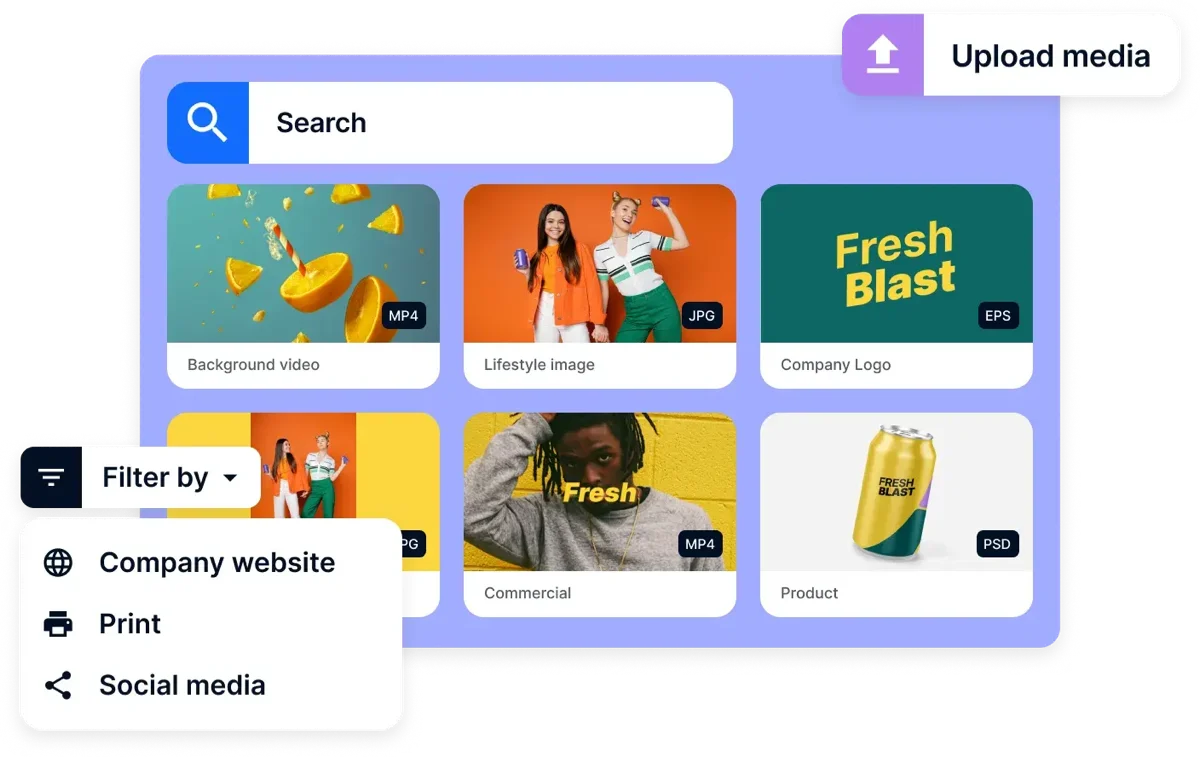
★★★★★ 4.7Best for: organizations that need a real, multi-step review gate before assets go live, tied to brand governance.
Pros
- Multi-step approval chains that genuinely gate visibility, not just a status label
- Tied directly into brand guideline enforcement and permission structure
- Full audit trail of who approved what and when
Cons
- Enterprise pricing and setup complexity, more than a small team needs
- Configuring a multi-step chain takes real implementation time
Our verdict: If a real, enforced approval gate before publishing matters more than anything else, Bynder's workflow is the deepest and most reliably enforced of the four we tested. Full test in our Bynder review.
2. Daminion — enforced approval at budget-tier pricing
Daminion
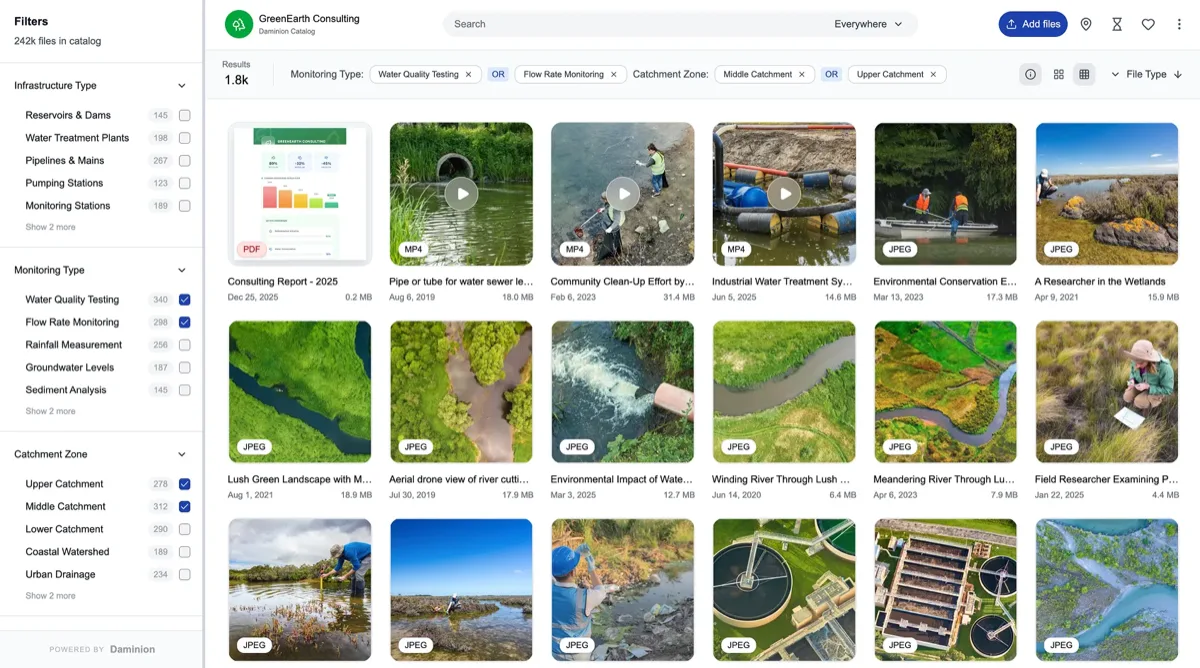
★★★★★ 4.8Best for: teams that want a genuinely enforced approval queue without Bynder's enterprise complexity or price.
Pros
- AI-suggested tags and new asset submissions genuinely queue for approval, not just flagged
- Priced per image, not per seat, unlike most enterprise-tier workflow tools
- Approval ties into version control, so a reviewed rollback is also gated
Cons
- Single-step approval rather than Bynder's multi-stage chains
- No dedicated brand-guideline layer tied to the approval process
Our verdict: Daminion proves a real, enforced approval gate doesn't require enterprise pricing — it's a simpler chain than Bynder's, but it's genuinely enforced, not decorative. Full test in our Daminion review.
3–4: lighter review needs
3. Canto — 8.3. Canto's review step on shared collections works for lighter approval needs — confirming a collection before it's shared externally — but it's a lighter mechanism than a full pending/approved state machine on individual assets. Fine for teams whose real requirement is "someone signs off on this batch before it goes out," rather than per-asset governance. See it in our Canto review.
4. Brandfolder — 8.1. Brandfolder tracks an approval status field on assets, which is useful for visibility, but our testing found the enforcement lighter than Bynder's or Daminion's — the status is more informational than a hard gate in some workflows. Its real strength remains usage analytics rather than approval depth. See it in our Brandfolder review.
Cost and how to choose
Start by testing whether "approval" actually blocks anything, not just labels it. During a trial, submit an asset as a non-approver account and confirm it's genuinely inaccessible or unusable elsewhere until approved — not just marked pending while still fully usable. If you need multi-step chains tied to broader brand governance, Bynder's depth justifies its price. If you want a real enforced gate without that complexity or cost, Daminion delivers the enforcement at a fraction of the price. Canto and Brandfolder suit lighter review needs where a full state-machine approval isn't the actual requirement.
Buyer’s test: submit a test asset as a non-approver account during your trial, then log in as a regular team member and check whether that asset is genuinely blocked from search results, sharing, or download until someone approves it. A "pending" label that doesn't actually restrict anything isn't a real approval workflow.
FAQ
What's the best DAM software for approval workflows?
Bynder has the deepest, most reliably enforced approval workflow we tested — multi-step chains tied to brand governance and permissions, not just a status label. Daminion is the strongest budget-tier alternative, with a genuinely enforced single-step approval queue at a fraction of Bynder's price.
What's the difference between a permission and an approval workflow in a DAM?
A permission controls who is allowed to do something — upload, edit, delete. An approval workflow is a structured review step where a submitted asset or change sits in a pending state until a designated reviewer explicitly approves it, with that decision recorded in an audit trail. Many tools have strong permissions but only a labeled, unenforced approval status.
What is a creative approval workflow?
It's the route an asset takes from finished draft to signed-off file: the work is submitted, it goes to named reviewers in a set order — designer, brand lead, legal, whatever your stages are — each one approves it or sends it back, the version that was approved is the one recorded, and the whole chain leaves an audit trail of who signed off on what and when. The load-bearing word is “named”: a workflow that says somebody should look at this is the workflow that gets skipped on a deadline.
Approval workflow vs proofing — what's the difference?
Proofing is the commenting and markup on the asset itself — a reviewer pinning a note to the exact spot on the image that needs to change. An approval workflow is the routing and the recorded sign-off around it: who has to look at this, in what order, and did they say yes. You can have either without the other — a tool can run a strict approval gate while creative feedback still happens over email, and it can have excellent markup with no gate at all. Most teams that think they need one actually need both; our DAM proofing and feedback ranking covers the markup half.
Sources & references
- Bynder — vendor site, accessed July 2026.
- Daminion — vendor site, accessed July 2026.
- Canto — vendor site, accessed July 2026.
- Brandfolder — vendor site, accessed July 2026.
- PhotoLib test lab — June/July 2026, non-approver submission and gate-enforcement tests across four tools. See how we test.