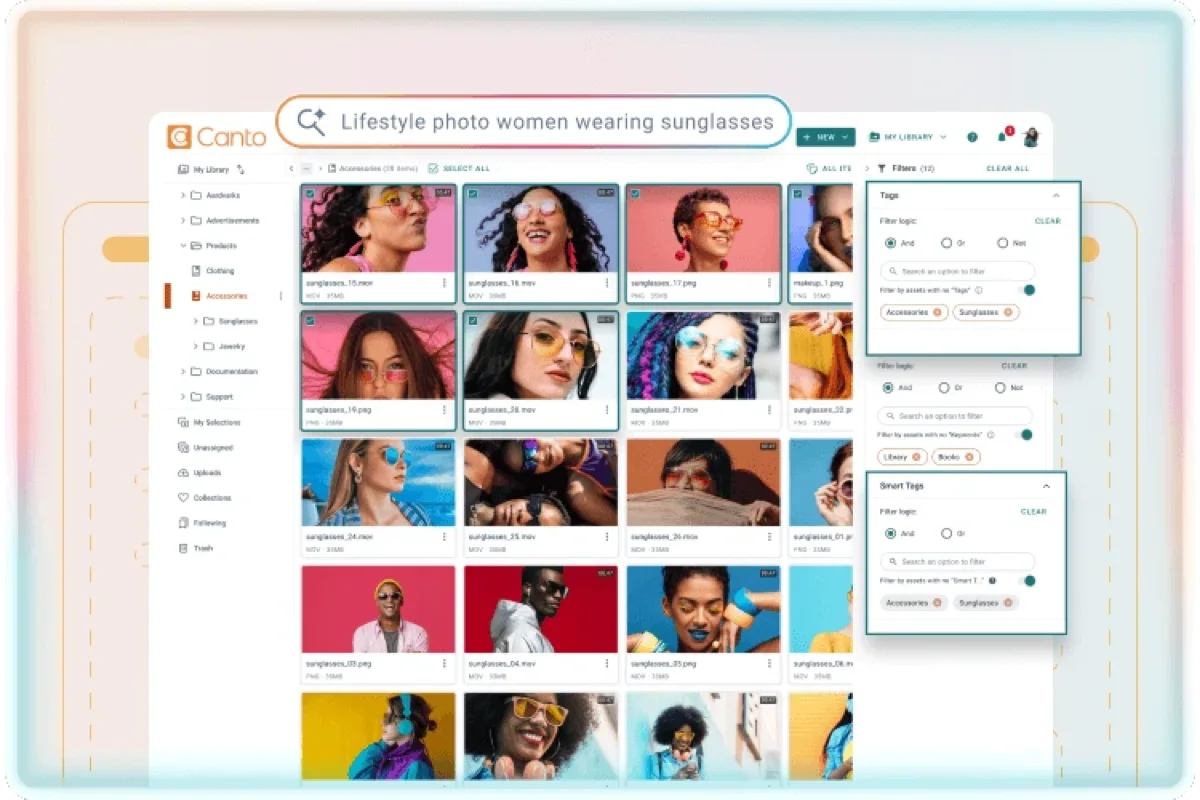
Our verdict in 30 seconds: Canto (9.1) is the most polished pure-cloud experience we tested — fast onboarding, natural-language search, zero setup beyond signing up. Brandfolder (8.8) is close behind with stronger usage analytics. Bynder is cloud-hosted but built for a heavier enterprise rollout than the other three. Pics.io is the lightest possible cloud option, running on infrastructure you may already have (Google Drive).
What "cloud" should actually mean: zero infrastructure, not just "hosted somewhere"
Every DAM vendor's marketing says "cloud" now, but that word covers a range of actual setups — from a genuinely zero-maintenance SaaS signup to a "cloud-hosted" version of software that still needs configuration, dedicated admin time, and a real onboarding project. For this ranking, we tested specifically for the zero-infrastructure promise: sign up, invite your team, start uploading, with no server, no IT ticket, and no VPN required for remote access. That's a meaningfully narrower bar than "runs on a vendor's servers somewhere," and it's what most buyers actually mean when they ask for "cloud."
My test: log in from a personal laptop on public wifi, with no VPN, no company network, nothing pre-configured, and see how long it takes to find and download an asset. Canto and Brandfolder both worked immediately — no network configuration of any kind. That's the actual promise of "cloud" for most teams: access from anywhere, with nothing to set up beyond a login.
Quick comparison
| Tool | Cloud strength | Setup required | Tier | Score |
|---|---|---|---|---|
| 1. Canto | Fast onboarding, natural-language search, zero infrastructure | Sign up and go | $$ | 9.1 |
| 2. Brandfolder | Strong usage analytics, clean cloud UI | Sign up and go | $$ | 8.8 |
| 3. Bynder | Cloud-hosted, but built for enterprise-scale rollout | Implementation project typical | $$$ | 8.6 |
| 4. Pics.io | Lightest possible cloud setup, built on Google Drive | Sign up and go, if already on Drive | $$ | 8.2 |
Price tiers: $$ mid-range · $$$ enterprise, quote-based. Scores reflect zero-infrastructure cloud fit for this ranking, not each tool's overall PhotoLib score. Checked July 2026.
1. Canto — fastest true zero-setup onboarding
Canto
★★★★★ 4.6Best for: teams that want to sign up and be productive the same day, with nothing to install or configure.
Pros
- Genuinely zero-setup — worked from an unconfigured personal laptop on public wifi immediately
- Natural-language search means no keywording discipline required before the tool is useful
- Automatic updates and maintenance handled entirely by the vendor
Cons
- No on-premise or hybrid option if requirements change later — pure cloud only
- Mid-range pricing that climbs with seats and storage volume
Our verdict: If the whole point of "cloud" is not having to think about infrastructure at all, Canto delivers that most completely of the four we tested. Full test in our Canto review.
2. Brandfolder — strong cloud analytics
Brandfolder
★★★★★ 4.5Best for: teams that want zero-infrastructure cloud plus visibility into which assets are actually being used.
Pros
- Also passed the no-VPN, no-config remote-access test cleanly
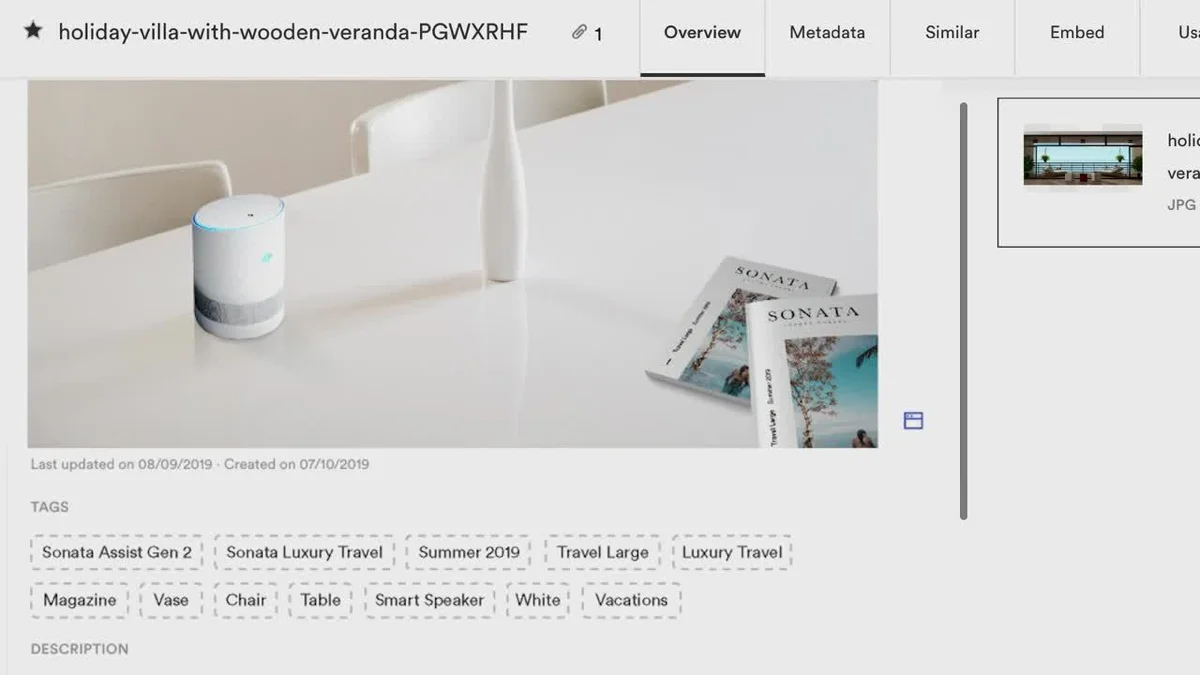
- Usage analytics work well as a cloud-native feature, no separate reporting tool needed
- Clean interface that scales to a large combined library
Cons
- Search isn't as forgiving as Canto's natural-language search for untagged assets
- Mid-range pricing, quote-based at higher tiers
Our verdict: If usage analytics matter as much as the storage and search itself, Brandfolder delivers that as a cloud-native feature without sacrificing the zero-infrastructure promise. Full test in our Brandfolder review.
3–4: enterprise-cloud and lightest-possible-setup picks
3. Bynder — 8.6. Bynder is genuinely cloud-hosted — no server for you to run — but it's built for a heavier enterprise rollout than the other three tools here: expect an implementation project with an account team, not a same-day signup. The tradeoff buys structural multi-brand governance the lighter tools don't offer. If your requirement is specifically "the vendor hosts it," not "zero setup at all," Bynder still qualifies; see it in our enterprise DAM ranking for the deeper governance-focused comparison.
4. Pics.io — 8.2. The lightest possible cloud setup of the four: built directly on Google Drive, so if your organization already uses Google Workspace, there's genuinely nothing new to configure — not even a new login. The tradeoff is that permissions and reliability are really Google Drive's own, not a dedicated DAM infrastructure, which is a real strength for some teams and a real limitation for others. See it in our Pics.io review.
The benefits of cloud-based DAM
The headline benefit of cloud-based DAM is subtraction: no server to buy, patch or back up, and no upgrade weekend — updates and backups happen on the vendor's side whether you notice or not. The second is reach: a web-based library is one login away from any browser, which is what the coffee-shop test above measures, and it points outward too: handing a client or a freelancer a share link or a branded portal takes no VPN and no IT ticket. Storage is elastic, growing when you upload, not when someone approves a disk purchase — and a cloud DAM can be useful the afternoon you sign up.
The counterweights are financial and structural, and they arrive later. Per-seat pricing grows precisely when the tool succeeds and everyone wants in; storage fees compound monthly rather than being paid once; and the library lives in a system you don't control, so the exit question — can you get every file and its metadata out? — is worth answering before you sign. Hybrid DAM exists for teams that want the reach without handing over the archive.
Cloud vs on-premise DAM
The deployment question isn't which model is better — it's which set of costs you'd rather carry. Cloud wins on everything you don't have to do: nothing to maintain, a setup measured in an afternoon rather than a project plan, remote access that works from any browser without a VPN, and a predictable per-seat operating cost you can budget once and forget.
On-premise DAM wins on three things, and they're why teams still choose it. Storage economics at terabyte scale: cloud storage bills every month forever, while disks you already own cost nothing more to index — and the more you archive, the wider that gap opens. Control you can point at in a contract: when a regulator, a client NDA or a data-residency rule says the files stay on hardware you own, no vendor security documentation settles the argument. And speed with very large files: pulling 80 MB RAW frames or CAD assemblies across your own LAN beats a cloud preview pipeline.
The honest rule of thumb: if your library is measured in gigabytes, your team is spread across locations, and nothing contractual dictates where the bytes live, cloud is the lower-effort answer. If it's terabytes, or somebody has to sign off on where those bytes physically sit, on-premise still earns its keep — and hybrid DAM splits the difference, keeping originals on your storage behind a vendor-hosted interface. Our on-premise vs cloud DAM guide works through the full trade-off.
Cost and how to choose
Decide first whether "cloud" means "zero setup, sign up today" or "the vendor hosts it, but we'll still run an onboarding project." Canto and Brandfolder deliver the former cleanly; Bynder is cloud but expects the latter, in exchange for enterprise governance features the lighter tools don't have. If your organization already lives in Google Workspace, Pics.io removes even more friction than a from-scratch cloud DAM signup would. Whichever you choose, test the actual remote-access experience yourself — log in from an unconfigured device on a network you don't control and confirm nothing needs a VPN or IT ticket to work.
Buyer’s test: during a trial, log in from a personal device on a network your IT team doesn't control — home wifi, a coffee shop, a phone hotspot — with zero pre-configuration. If it doesn't work cleanly, or requires a VPN or a support ticket to fix, the tool isn't delivering the actual cloud promise, regardless of what the marketing page says.
FAQ
What's the best cloud DAM software?
Canto is the best pure-cloud experience we tested: sign up, invite your team, and start working the same day, with genuinely nothing to install or configure. Brandfolder is a close alternative if usage analytics matter as much as storage and search.
What's the difference between "cloud-hosted" and truly zero-setup cloud DAM?
"Cloud-hosted" often just means the vendor's servers run the software instead of yours — it can still require a real implementation project, admin configuration, and dedicated IT time. A truly zero-setup cloud DAM works the moment you sign up, with remote access from any device and network with no VPN or special configuration.
What is a cloud DAM?
A cloud DAM is digital asset management software the vendor runs and you reach through a browser — your images, video and documents are stored, tagged, searched and shared on the vendor's infrastructure instead of on a server in your building. Because it's web-based, there's nothing to install and no network to configure: the login is the whole client.
What are the benefits of cloud-based DAM?
No server to run, updates and backups handled by the vendor, access from any browser — including for the clients and freelancers you'd otherwise have to get onto your network — storage that grows on demand, and a library that can be useful the day you sign up. The trade-offs are recurring rather than upfront: per-seat costs climb as the tool catches on, storage fees compound monthly, and the archive lives somewhere you don't control, so check how you'd export everything, metadata included, before you commit.
Cloud or on-premise DAM — which should I choose?
Cloud, if your library is measured in gigabytes, your team is spread across locations, and no contract or regulation dictates where the files live — it's considerably less work. On-premise, if you're storing terabytes (cloud storage bills every month; disks you own don't), if compliance or an NDA requires the files stay on your own hardware, or if people work with very large RAW or CAD files where LAN speed wins. Hybrid setups cover the middle ground.
Sources & references
- Canto — vendor site, accessed July 2026.
- Brandfolder — vendor site, accessed July 2026.
- Bynder — vendor site, accessed July 2026.
- Pics.io — vendor site, accessed July 2026.
- PhotoLib test lab — June/July 2026, unconfigured-device remote-access test across four tools. See how we test.