Our verdict in 30 seconds: Bynder (9.0) has the deepest permission model we tested — permissioned collections plus SSO and SCIM provisioning for enterprise-scale access control. Filecamp (8.9) is the standout for small-to-mid teams: folder-based permissions that held up cleanly at 60 test accounts with zero restriction, on its cheapest plan. Daminion uses role-based licensing (viewer vs. editor) to keep permission granularity affordable. Pics.io inherits Google Drive's own permission model.
Permissions vs. approval workflows: two different questions
It's worth being precise about what "DAM permissions" and "access control" actually mean, because two related features get conflated constantly. A permission answers "who is allowed to see or download this folder or asset." An approval workflow answers "has this specific asset been signed off as ready to publish." A tool can have excellent permissions and no real approval gate, or vice versa — we tested permissions specifically here, and cover approval workflows separately in our dedicated ranking. Teams whose starting point is a shared photo library rather than a permissions model may prefer our photo management for teams comparison.
My test for permission scaling: create as many test accounts as the plan nominally allows, with different roles and folder access, and see whether anything throttles, restricts, or nudges you to upgrade. On Filecamp's cheapest plan, I created 60 test accounts with different folder permissions and hit zero restriction — confirmed directly in our full review. That's the real test of "unlimited users" claims: not whether the marketing page says it, but whether the system holds up when you actually try it.
Quick comparison
| Tool | Permission model | Scales with more users? | Tier | Score |
|---|---|---|---|---|
| 1. Bynder | Permissioned collections, SSO, SCIM provisioning | Yes, built for large user counts | $$$ | 9.0 |
| 2. Filecamp | Folder-based permissions, verified unlimited users | Yes, tested to 60 accounts, no restriction | $ | 8.9 |
| 3. Daminion | Role-based licensing (viewer/editor split) | Yes, viewer seats priced lower than editor seats | $ | 8.6 |
| 4. Pics.io | Inherits Google Drive's own permission model | Per-user pricing, less favorable at 20+ seats | $$ | 8.0 |
Price tiers: $ budget · $$ mid-range · $$$ enterprise, quote-based. Scores reflect permission/access-control depth for this ranking, not each tool's overall PhotoLib score. Checked July 2026.
1. Bynder — deepest permission model for enterprise scale
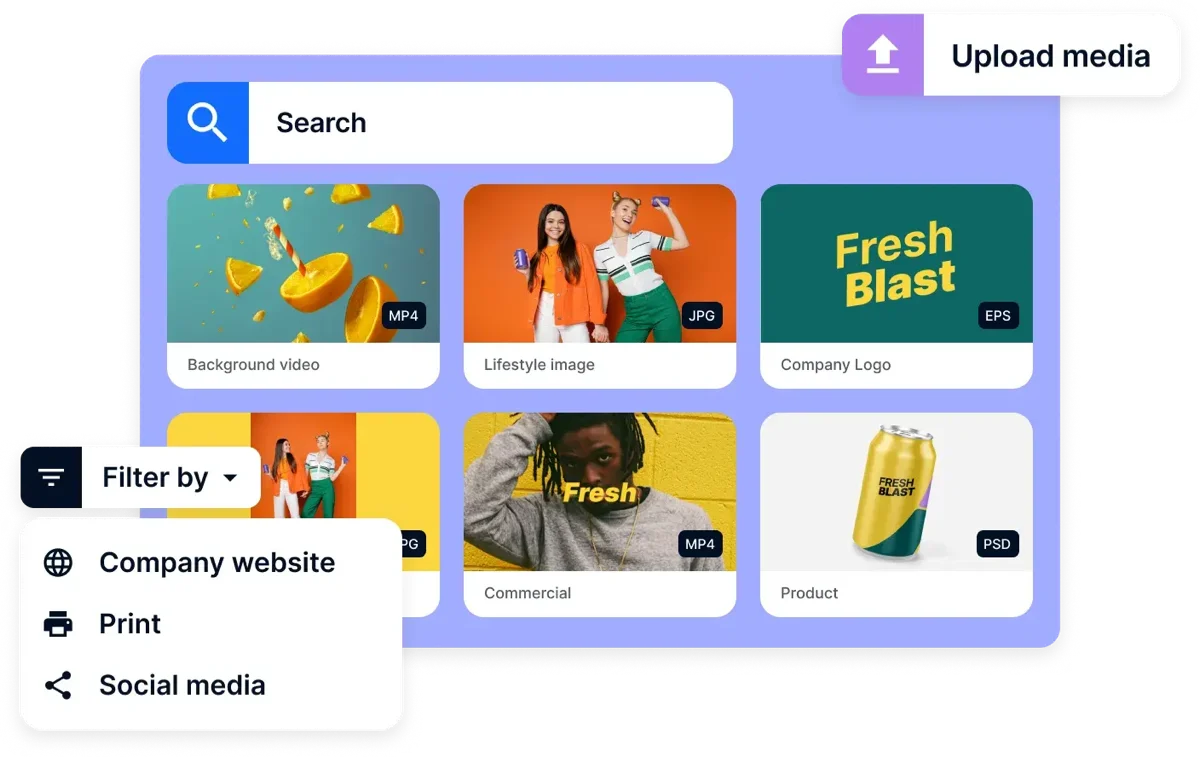
Bynder
★★★★★ 4.6Best for: large organizations needing enterprise-grade identity and access management, not just folder permissions.
Pros
- Permissioned collections that scale to genuinely large, multi-region user bases
- SSO and SCIM provisioning — access control ties into your existing identity system, not a separate login
- Enterprise-grade security certifications documented in our review
Cons
- Permission design is part of the 6–12 week implementation project, not instant
- Enterprise pricing reflects that depth
Our verdict: If access control needs to integrate with an existing enterprise identity system (SSO/SCIM) rather than standing alone, Bynder is built for that specifically. Full test in our Bynder review.
2. Filecamp — verified unlimited-user permissions at budget pricing
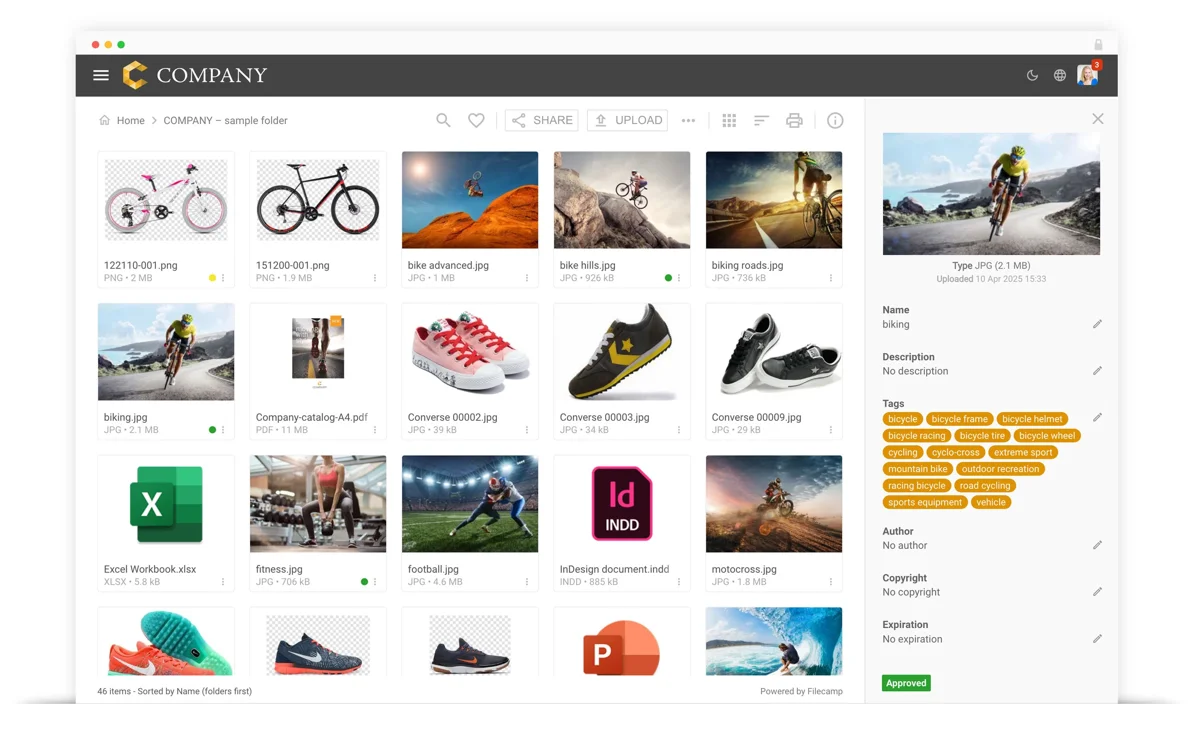
Filecamp
★★★★★ 4.4Best for: teams that want to stop rationing logins and give everyone who needs access their own account, without a per-seat penalty.
Pros
- Verified in our review: 60 test accounts created on the cheapest plan with zero restriction
- Folder-based permissions mean casual users see only what's explicitly granted
- Storage is the constraint, not headcount — the opposite of most per-seat DAM pricing
Cons
- Permission model is simpler than Bynder's identity-system integration (no SSO/SCIM)
- Fewer AI-powered features than pricier competitors
Our verdict: Filecamp proves granular, verified permission control doesn't require enterprise pricing — the account-flood test held up cleanly at budget-tier cost. Full test in our Filecamp review.
3–4: role-based licensing and Drive-native permissions
3. Daminion — 8.6. Daminion's approach to access control is priced directly into its licensing: viewer seats cost less than editor seats, so a team can give broad read-only access without paying full price per person. Our review found this "role-based licensing is where the savings live" — a team with mostly viewers and a few editors gets real cost benefit that per-seat-flat pricing doesn't offer. See it in our Daminion review.
4. Pics.io — 8.0. Because Pics.io runs on top of Google Drive, its permission model is really Drive's own sharing and access system, layered with DAM-specific metadata and versioning on top. That's a real strength if your organization already trusts and understands Drive's permissions, and a real limitation if you need DAM-specific access controls Drive doesn't natively offer. Pricing is per-user, which our review notes becomes less favorable at 20+ seats compared to role-based or flat-rate alternatives. See it in our Pics.io review.
Cost and how to choose
Start with how access control needs to scale for you specifically. If you need it tied into an existing enterprise identity system (SSO/SCIM) across a large, complex organization, Bynder's depth justifies its price. If your real need is "let everyone who needs access have their own account without a per-seat penalty," Filecamp's verified unlimited-user model does that at a fraction of the cost. If your team splits cleanly into viewers and editors, Daminion's role-based licensing directly prices that distinction. If you're already trusting Google Drive's own permission system, Pics.io builds on top of it rather than replacing it — just watch the per-user pricing at higher seat counts.
Buyer’s test: during a trial, create more test accounts than you think you'll ever need, with a mix of different roles and folder access, and confirm nothing throttles, restricts, or pushes you to upgrade. "Unlimited users" and "granular permissions" are both claims worth stress-testing directly rather than taking on faith from a pricing page.
FAQ
What's the best DAM software for granular permissions?
Bynder has the deepest permission model for enterprise scale, with permissioned collections plus SSO and SCIM provisioning tied into existing identity systems. Filecamp is the strongest budget-tier alternative — we verified its folder-based permissions hold up at 60 test accounts with zero restriction, on its cheapest plan.
What's the difference between a permission and an approval workflow?
A permission controls who is allowed to see or download something. An approval workflow is a separate feature that gates whether a specific asset has been signed off as ready to publish. A tool can have strong permissions and a weak approval process, or the reverse — see our dedicated approval workflows ranking for that separate axis.
How do permissions work in a DAM?
Digital asset management permissions are usually built in three layers. A role — admin, editor, viewer — sets what a person can do anywhere in the system. A group collects people who should get the same access, so you grant it once instead of per person. And per-folder or per-collection rules decide which assets those people ever see at all. Layered on top is the verb: viewing an asset, downloading the original, editing its metadata and sharing it outward are separate rights in a granular tool, and one that collapses them into a single on/off switch isn't granular no matter what the pricing page says. See role-based access control for how the role layer is meant to work — and why vendors use the term loosely.
Can a DAM restrict downloads and track who accessed an asset?
Those are two different features, and it's worth checking for both separately. A permission decides whether someone can download an original at all — view and download are usually distinct rights, so a contractor can browse a folder without pulling the print-resolution files out of it. An audit trail is the record left behind afterwards: who opened, downloaded or changed which asset, and when. A DAM can have genuinely granular access control and still leave only a thin activity feed, so don't assume one implies the other. Of the tools ranked here, Bynder is the one whose audit trails we've covered in a full review. During a trial, download something with a restricted test account and check whether the log actually names who did it.
Sources & references
- Bynder — PhotoLib, permission model and SSO/SCIM verified, July 2026.
- Filecamp — PhotoLib, 60-account permission test, July 2026.
- Daminion — PhotoLib, role-based licensing model, July 2026.
- Pics.io — PhotoLib, Google Drive permission inheritance, July 2026.
- PhotoLib test lab — June/July 2026, account-flood permission-scaling tests across four tools. See how we test.